Cross-border logistics management
Manage orders, warehousing, deliveries and billing in one place.
Product screenshots with demonstration data.
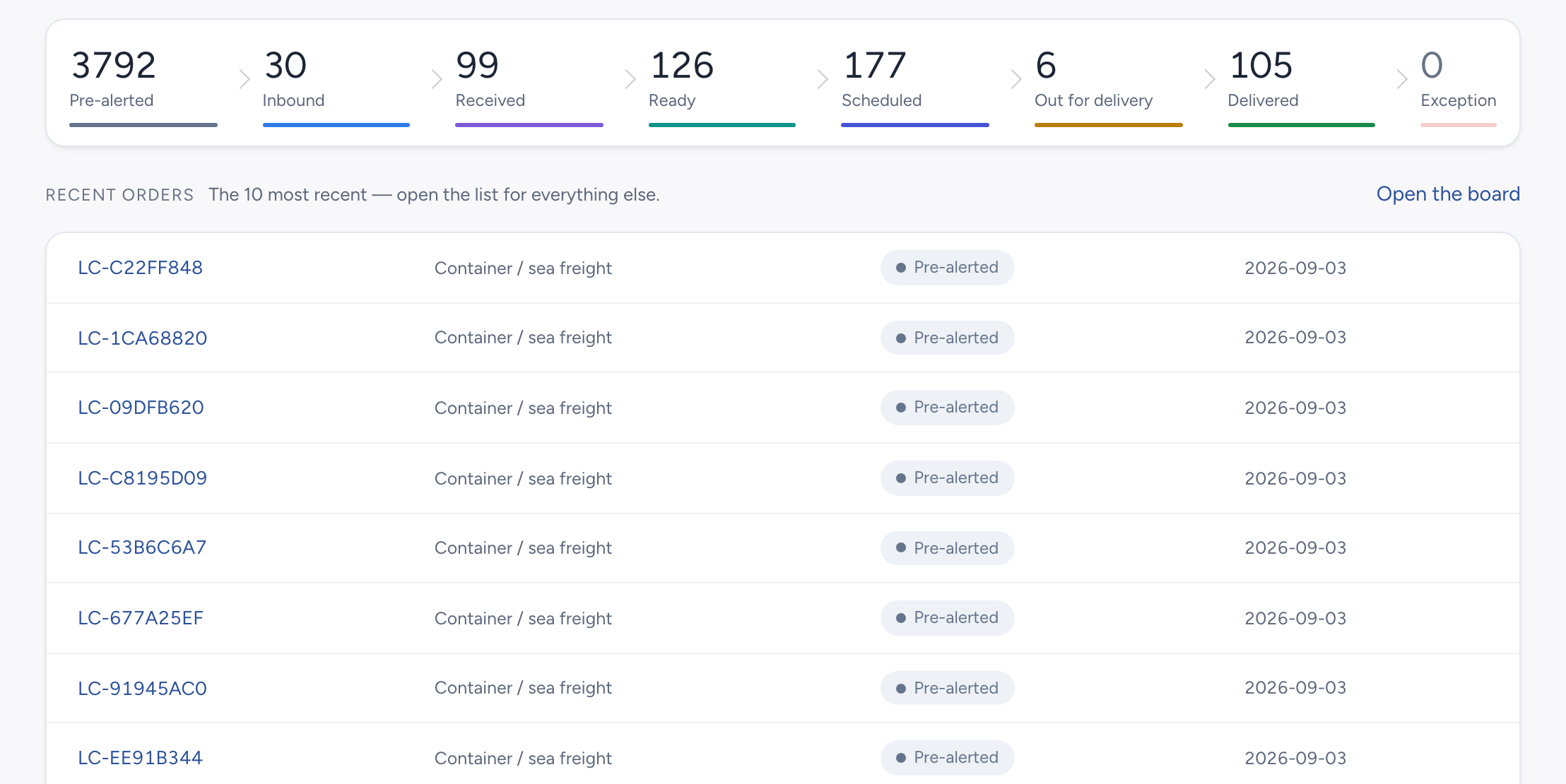
Find shipments by stage
Follow shipments through pre-alert, inbound transit, receiving, scheduling, delivery and arrival. Filter by stage to check their progress.
- 1Pre-alerted
- 2Inbound
- 3Received
- 4Ready
- 5Scheduled
- 6Out for delivery
- 7Delivered
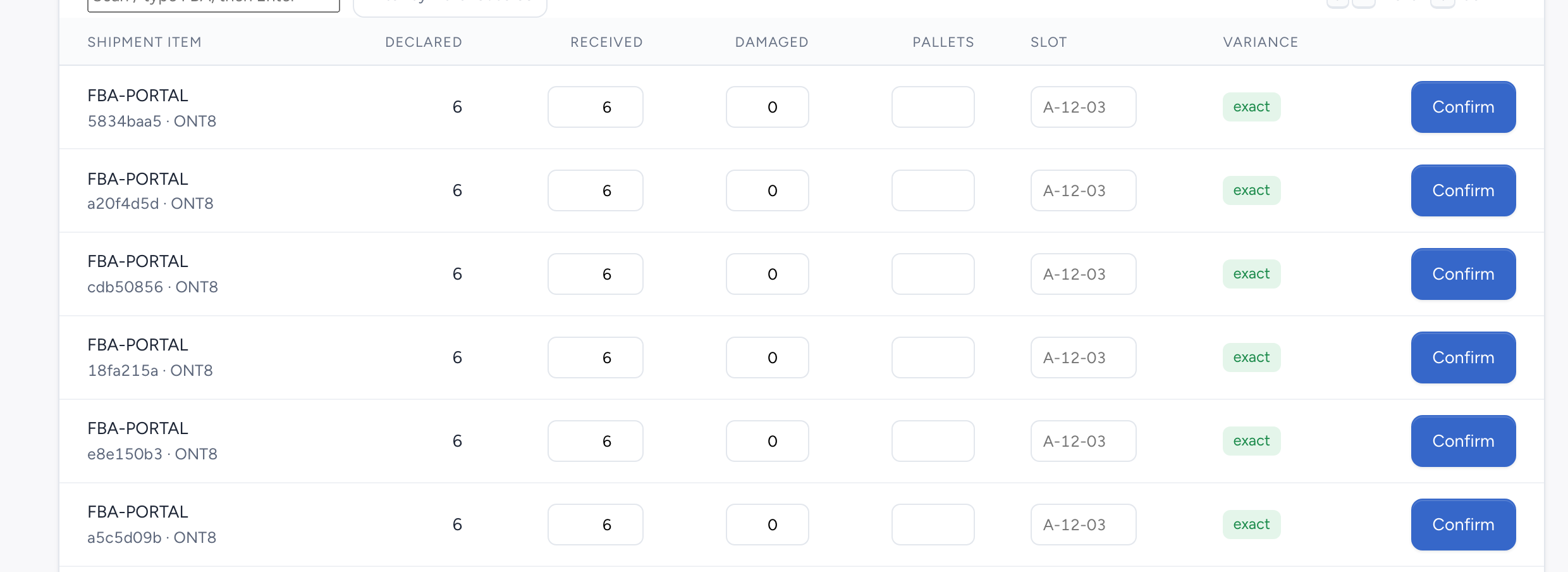
Record what arrived and any discrepancies
Find a shipment by FBA, enter received and damaged carton counts, and compare them with the declared quantity. Separate views for incoming and received freight help you plan the next step.
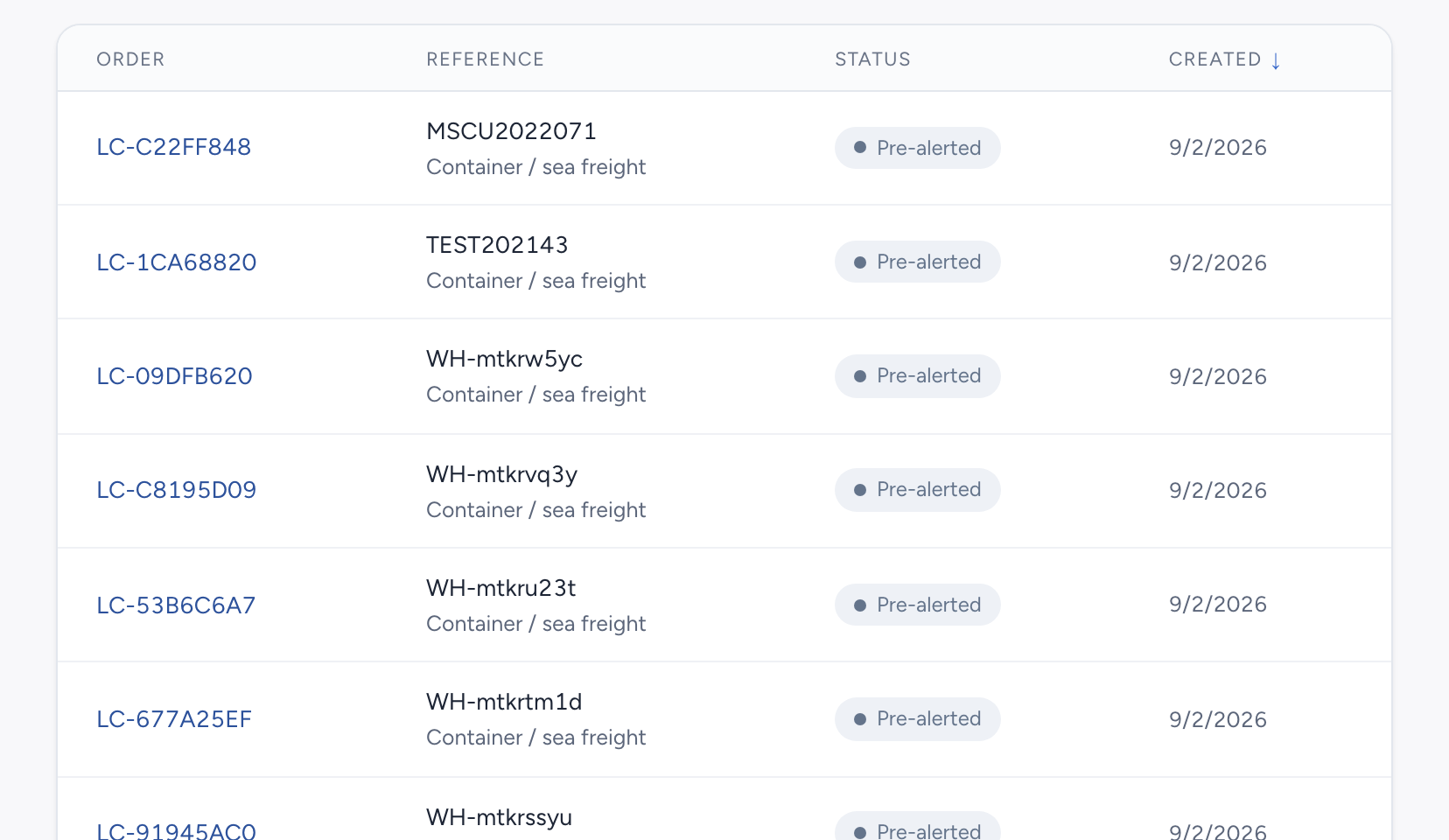
Let customers check progress and download files
Customers can submit orders and follow receiving and delivery progress for their shipments. Once PODs and invoice files are uploaded, they can preview or download them and export their shipment list.
Combine customers’ freight on one load
Select shipments by destination and add them to an existing load or create a new one. Check carton counts, pallet counts, weight and the shipments on board. After delivery, customers can download the POD linked to their freight.